What Is an ERP System? Guide for SMBs

Written by
Shanel Pouatcha
Updated

February 27, 2026

What Is an ERP System? Guide for SMBs
Caption icon Table of content

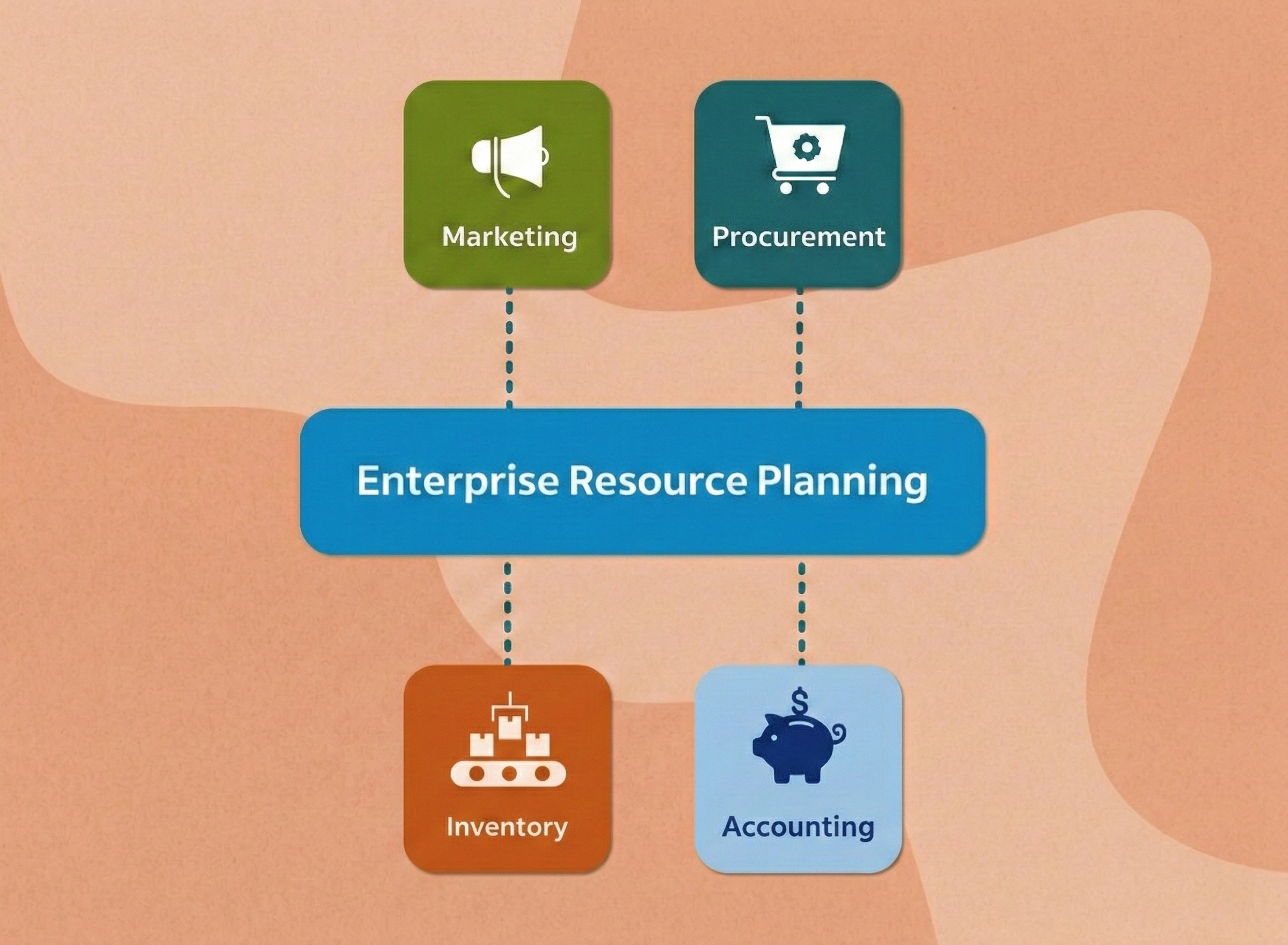
Enterprise resource planning (ERP) refers to software that integrates all of the core business processes for accounting, procurement, HR, supply chain, manufacturing, and sales into one single, unified platform. Rather than operating disconnected systems and software, an ERP system unifies them by relying on one system. It brings order to the business chaos that stems from complex coordination efforts that so often go awry: accounting unaware of major sales, manufacturing running low on materials because purchasing never saw the order, HR manually entering data that finance needs for payroll.

What ERP Systems Actually Do

Many people assume ERP is just accounting software with extra features, but the reality is much broader. ERP systems manage the complete business cycle across multiple functions and enable real-time information flow across departments. The key differences from traditional siloed systems include:

  • Single set of data, as opposed to data existing in separate, non-integrated systems — Instead of QuickBooks for accounting, Salesforce for CRM, and standalone payroll software each with their own databases, ERP uses a single shared database with all teams accessing the same information at the same time.
  • Real-time updates across the enterprise, as opposed to manual transfers or duplicate entry in multiple systems — When one person makes a change, every team sees the updated information instantly, rather than one department having to manually enter data already stored in another system.
  • Standardized business processes — ERP spans sales, manufacturing, inventory, HR, customer service, financial management, and all the other functions needed to run the business to manage the entire business cycle from first customer interaction through delivery and invoicing.

When functioning properly, a customer order automatically triggers inventory adjustments, schedules production, creates shipping labels, and generates an invoice—with every department seeing identical information without duplicate entries.

How ERP Systems Work

The mechanism behind ERP centers on connecting all business processes through a common data structure where information is normalized and based on standardized definitions across the enterprise. This eliminates the data chaos that occurs when departments use different terminology for the same items, making it impossible to track costs or make informed decisions.

Consider a practical example from automotive manufacturing. When a car manufacturer procures brake pads from multiple suppliers, an ERP system ensures consistent identification across all departments:

  • Part name:  “Front brake pads” in one system, “front brakes” in another, “brake pads” in the third, or “front pads” in a fourth.
  • Component details: Size, material, source supplier, lot number, supplier part number, serial number, etc. all stored in different fields, in different ways, by different teams.
  • Cost: Varies according to which department is entering it (perhaps the sales team has different negotiated unit costs with suppliers than the purchasing team has).

Without this standardization, departments would be unable to calculate how much the company spends annually on front brake pads or determine whether to switch suppliers. Data integrity across the entire organization—from quarterly financial statements to individual receivables reports—depends on this central collection of data for wide distribution.

Core ERP Modules and Functionalities

Modern ERP platforms organize their functionality into distinct modules, each handling a specific business area while drawing from the same underlying database. Organizations can select and implement the modules that align with their specific business needs and scale up as they grow. Comprehensive ERP systems include the following standard modules:

  • Financial Management: Serves as the core foundation module in ERP with sub-capabilities for accounting, budgeting, financial reporting, and financial compliance tracking
  • Human Resources: HR modules contain payroll, benefits administration, recruiting and onboarding, performance tracking, and workforce planning
  • Inventory Management: Inventory modules track real-time stock and locations, set reorder levels automatically, and provide multi-warehouse visibility
  • Sales modules: Sales modules focus on order entry, tracking sales leads, performance metrics, and customer relationship management
  • Manufacturing modules: Manufacturing capabilities focus on production scheduling and work orders, tracking material usage, and quality control management

Benefits

Organizations implement ERP systems for measurable improvements in operational efficiency, cost control, and strategic decision-making. According to NetSuite’s analysis of ERP statistics, organizations report the following significant improvements after ERP implementation:

  • 78% of organizations report improved productivity after implementing ERP systems
  • 77% successfully removed data silos that previously hindered decision-making and cross-departmental collaboration
  • 75% of organizations achieved improved compliance capabilities and stronger audit controls
  • 70% reported enhanced customer experience through integrated customer data and faster response times

In addition to the qualitative business improvements, organizations also see a direct and quantifiable return on investment. According to Nucleus Research’s 2023 State of ERP Report analyzing ERP deployment case studies from 2018–2019, the average ERP implementation delivers a 200% ROI with an average payback period of 16 months. Their research also uncovered that cloud ERP implementations deliver an average 4.01x higher ROI when compared to traditional on-premises systems. The cost savings largely come from automating manual processes, reducing admin burden, IT maintenance, and overhead expenses, and removing the need for duplicate systems and work.

Real-time visibility and transparency are another critical advantage that ERP provides to all business functions. With integrated dashboards and reporting, managers can track profitability, inventory movement, and customer trends in real time, allowing them to coordinate activity between departments and pivot quickly in response to changing business needs rather than react to outdated information.

Ways to Deploy an ERP System

The options for how to deploy an ERP system have changed over time with advancements in technology and evolving workforce expectations. Different deployment methods can be chosen based on an organization’s budget, IT capabilities, data security needs, and strategic focus. The following are the main approaches to ERP deployment and a comparison of the trade-offs of each:

  • On-Premises ERP is a traditional, classic approach where organizations have complete control of their data, how the software is configured, and are responsible for all ongoing maintenance, security, and software updates. With an on-premises ERP, the software is installed on an organization’s own servers and managed by internal IT teams. On-premises solutions offer good performance with no network latency since software is hosted locally, but they require a significant upfront hardware investment and incur maintenance costs.
  • Cloud-Based ERP, or SaaS (Software-as-a-Service) ERP, is now the dominant approach to ERP deployments. Per Panorama Consulting Group’s 2024 ERP Report, 78.6% of organizations now choose cloud ERP for new implementations, up from 65% in the prior year. With a cloud ERP, the vendor hosts and maintains the software on their own servers and delivers it to the organization through a subscription-based internet connection. It has lower upfront cost, faster deployment, greater scalability, and the advantage of being automatically upgraded with new features and security.
  • Hybrid ERP is an approach that has become popular as an alternative that borrows from on-premises and cloud solutions. A hybrid approach to ERP allows an organization to maintain a high level of control over their core, sensitive data, while also achieving the cost savings and benefits for remote or geographically distributed locations that come with cloud ERP. For example, an organization may have an on-premises ERP installed at the headquarters while deploying a “light” cloud-based ERP solution at a regional subsidiary office. The hybrid approach is often the strategy of choice for distributed companies without requiring an on-premises infrastructure investment at every location.

Selecting the most appropriate deployment model will involve a number of factors about your organization, including current IT capabilities, budgetary constraints, data security concerns, and business growth projections. The strong migration trend toward cloud ERP adoption is driven not only by the cost advantages but also by a need for greater business agility in today’s environment.